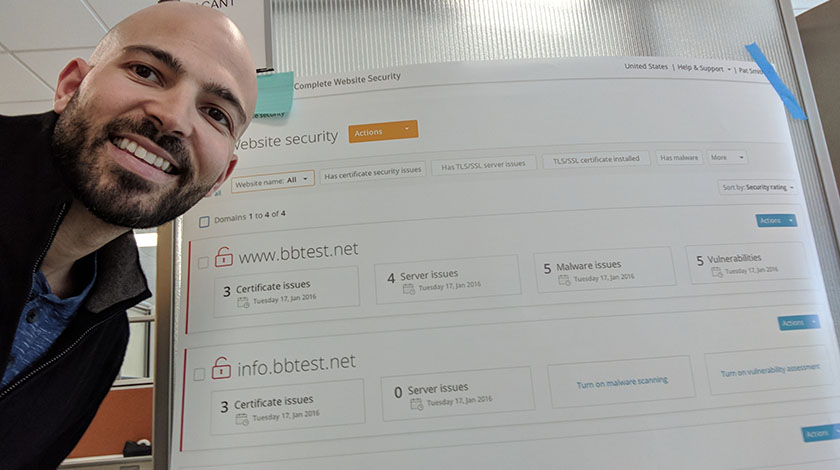
Website security view
Project boxscore
Position Project lead – did all interaction design and UX work. Performed research with customers. Collaborated with visual design team for pixel perfect designs.
Duration 6 months
Tools


Team composition
2
Visual and UX designers
1
User interface developer
1
Product manager
1
Content writer
Rundown
As part of the PKI overhaul project we took a lot of pieces of two overlapping products and combined them into one functional, intuitive product. One of the major features that we combined was website security. Functionality was scattered between products forcing users into completely separate consoles to get the full picture of their security. I was the only UX designer assigned to this project, and drove the entire thing from concepts to final handoff (and worked with our visual design team as well). The feature would eventually be named “Website security view” (WSV).
Project goals
- Combine different types of security information from multiple sources
- Web application security
- Malware scanning
- Server vulnerability scanning
- Certificate installation security
- Empower the user to easily and quickly identify any issues with their security in one location
- Draw the user’s attention to the problem issues and offer resolution steps (and in the future offer in-console remediation)

User stories
The first thing I did for this project was define all the user stories. These went through a round or two of review and iteration within the UX team.
I also performed the following activities for this feature (not pictured):
- Workflows
- Competitive analysis
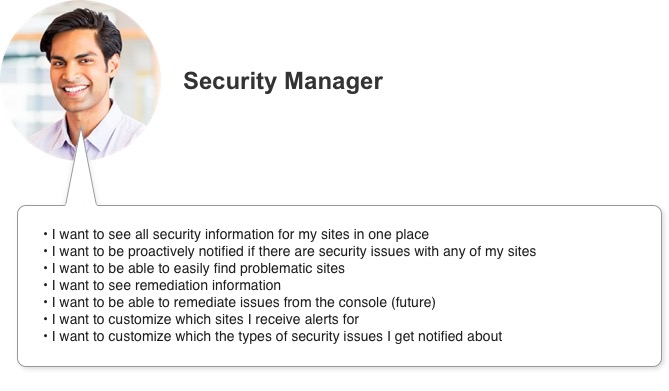
Security manager user stories
Concepts
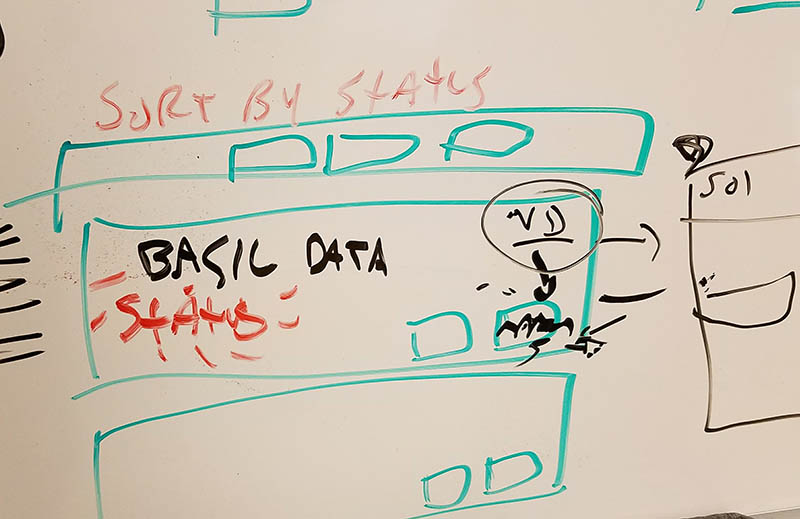
Once I had the stories and flows mapped out I moved to the whiteboard. My goal was to get a general direction of how we would accomplish our goals. The design I was coming up with also needed to sync with our new style guide.
Wireframes
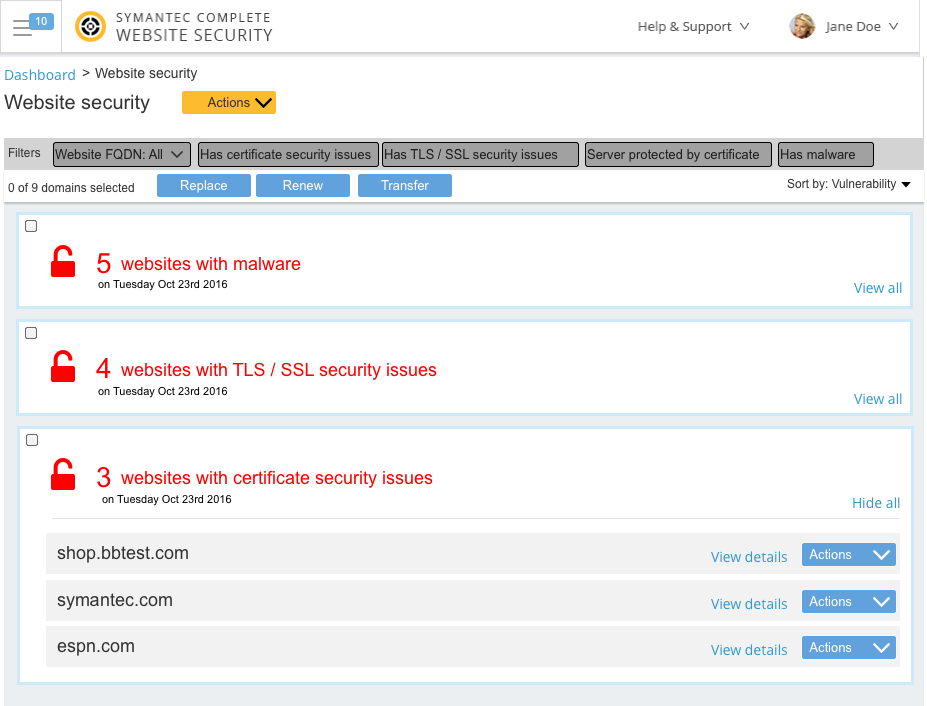
After some collaboration with the internal UX team I was ready to start wireframing. During the early stages I was also involving the major stakeholders (PM / Engineering / QA teams) by giving them at least weekly updates. I was also working closely with the UX content writer assigned to this feature during the whole process.
Testing
Once I had iterated the wireframes and received feedback from the major stakeholders I formalized some of the concepts for testing. Around this time I also engaged with the visual design team so we could get some high level feedback on the visual design direction. We sent out 1 survey and followed up with several customer feedback sessions.
Survey
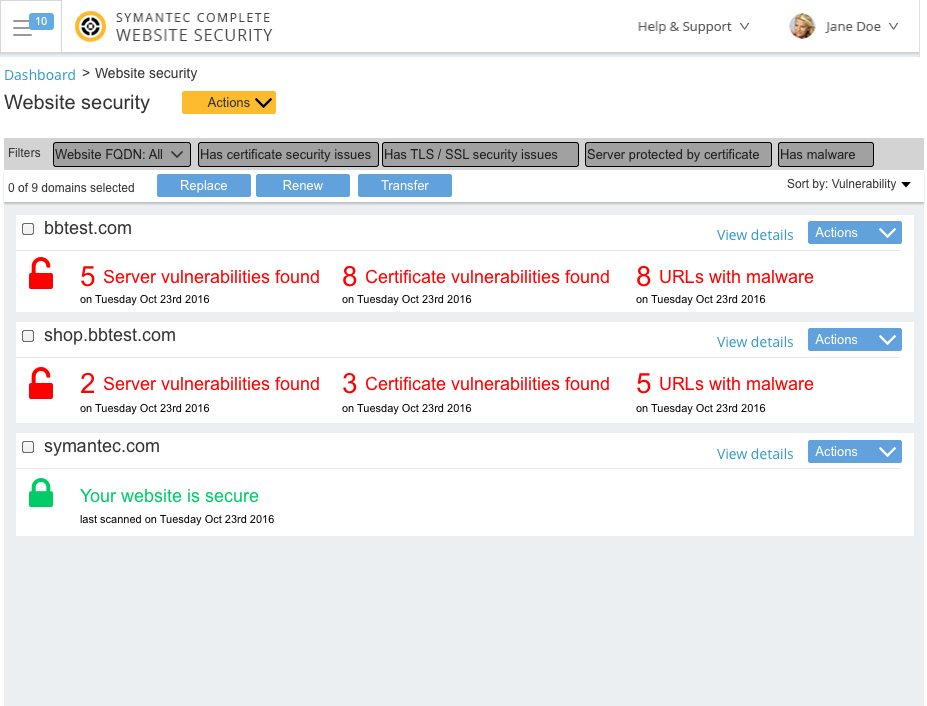
The initial survey was to understand user preferences for the organization of the information. Specifically we were trying to find out whether people preferred to have the overall information organized by issue type, or by site. One of the concepts we used was shown above (in the wireframes section) where the high level buckets are the vulnerability type. The second major concept we showed is where the organization was by domain – see below.
Survey results
Of the responses we received 71% preferred the concept shown here where the information is organized by domain.
“I can focus on prioritized or important domains where issues are occurring”
– Survey respondent
User feedback sessions
I used the feedback from the survey to drive the overall high level design, but since there was so much information contained in each domain, we also wanted to investigate user preference for the information inside each domain. With some input from our research team I created the test script and designed options to use for the study, and personally interviewed all the participants.
Study outline
- Showed each participant (in random order) 3 concepts (most impactful shown here)
- For each concept
- Information Architecture diagram
- Mockup
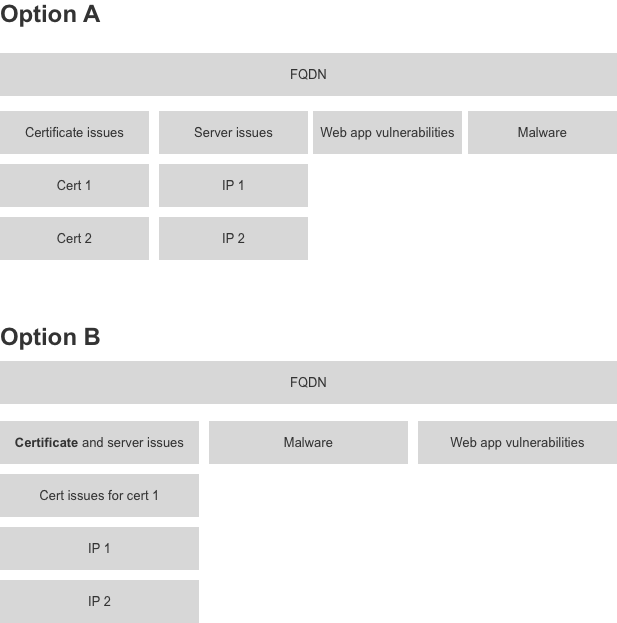
Option A – mockup
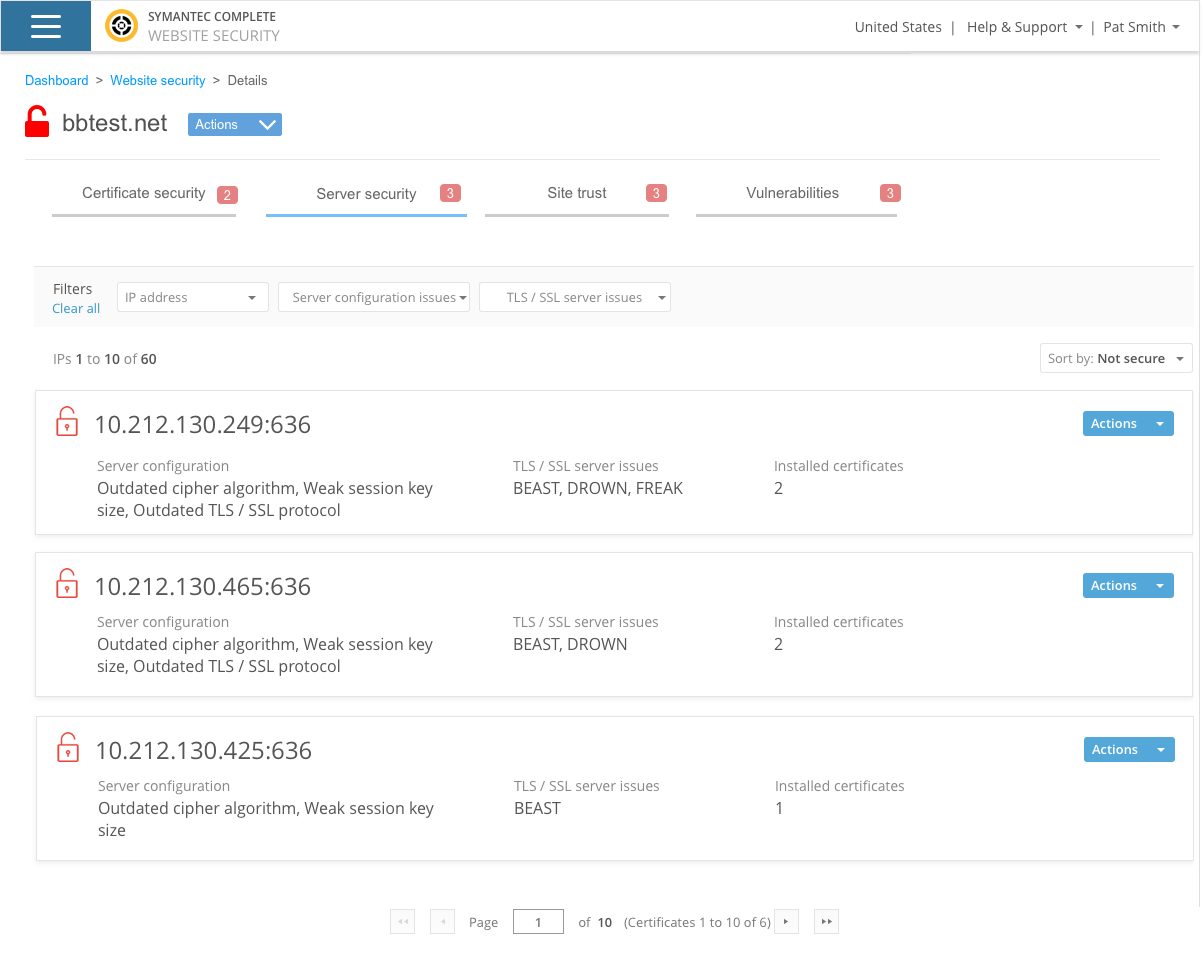
Option B – mockup
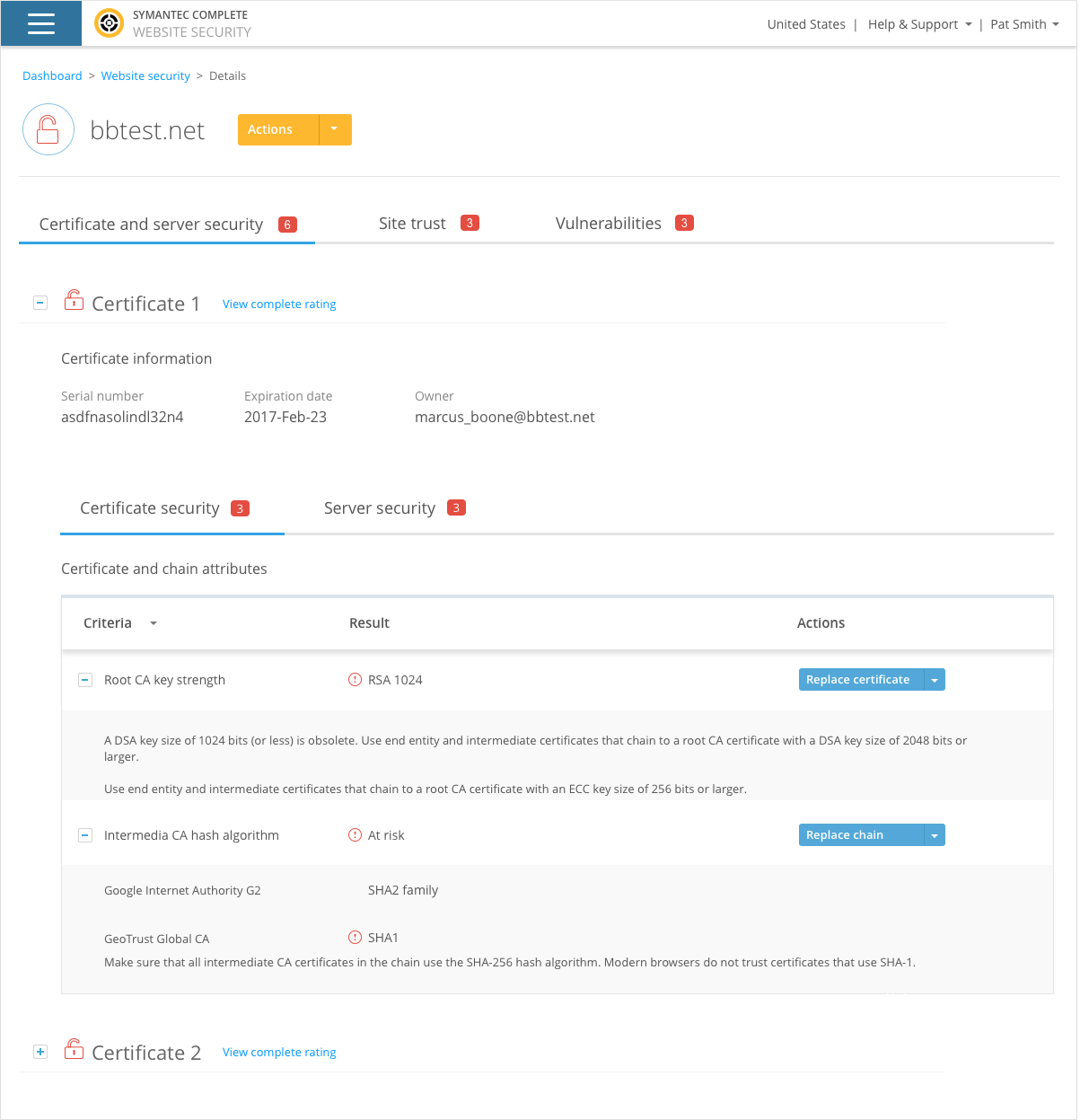
Results
Participants preferred option A. One major reason for this is that separate teams within our participant’s organizations were responsible for managing certificate and server security.
Iteration and final recommendations
Technical limitations
During the home stretch of this project – the engineering team informed me that one of the design features wouldn’t be technically feasible. We wanted to group each “site” by fully qualified domain name (FQDN), so if there was more than one certificate which had the same domain name those would all be grouped within the same FQDN (e.g. shop.bbtest.net, and buy.bbtest.net would be grouped together). The issue was that if there could be discrepancy between IP address/port combinations and certificate installations. Since this was not going to be achievable, I had to work with our UX director and come up with some alternative approaches to solve the issue. I’ve added a few examples of options I came up with below.
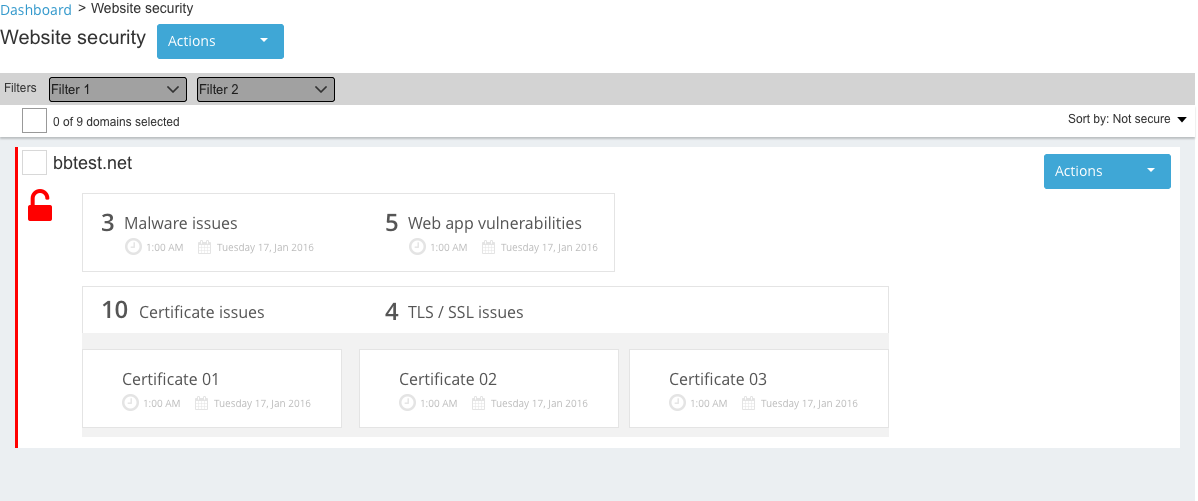
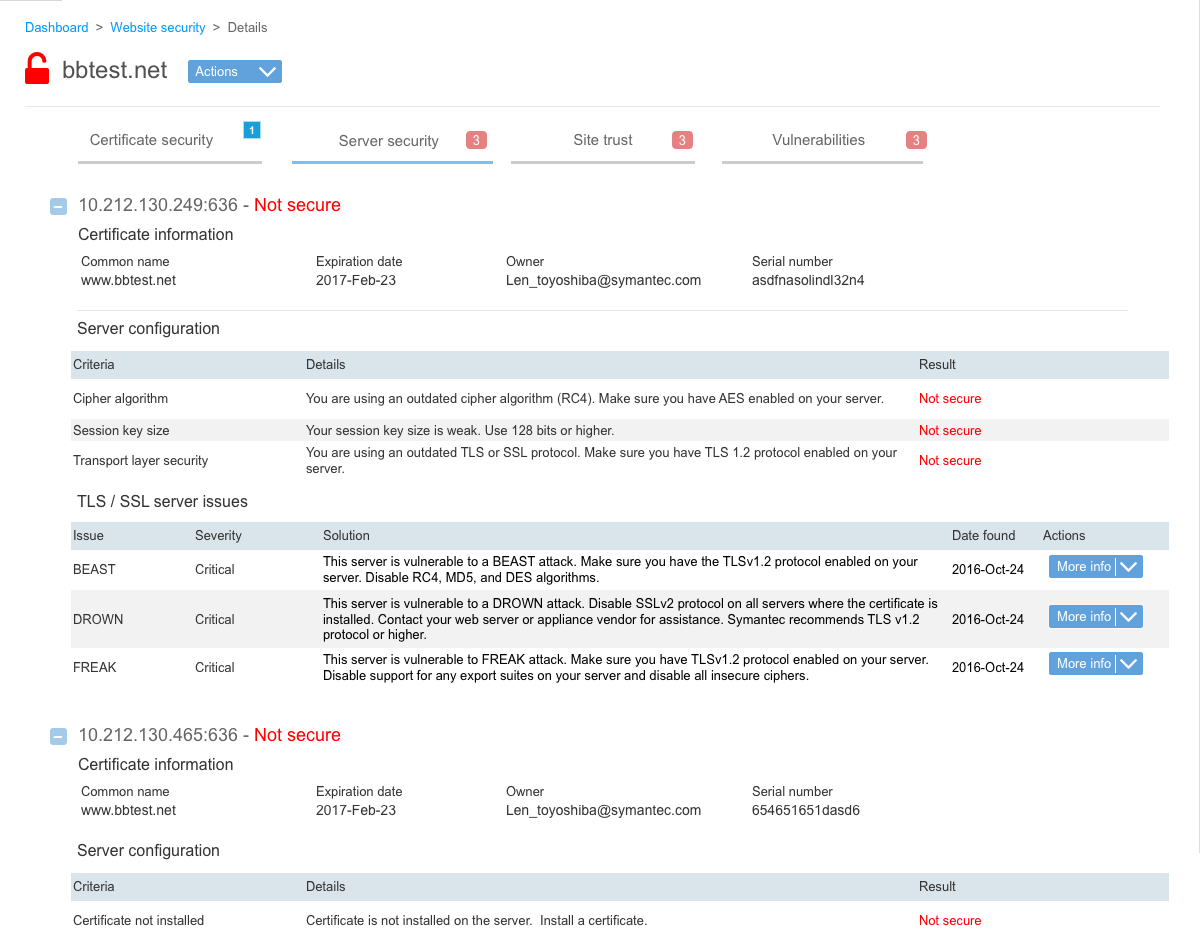
We ended up going with a variation of the version where we added certificate details to each install.
Visual design
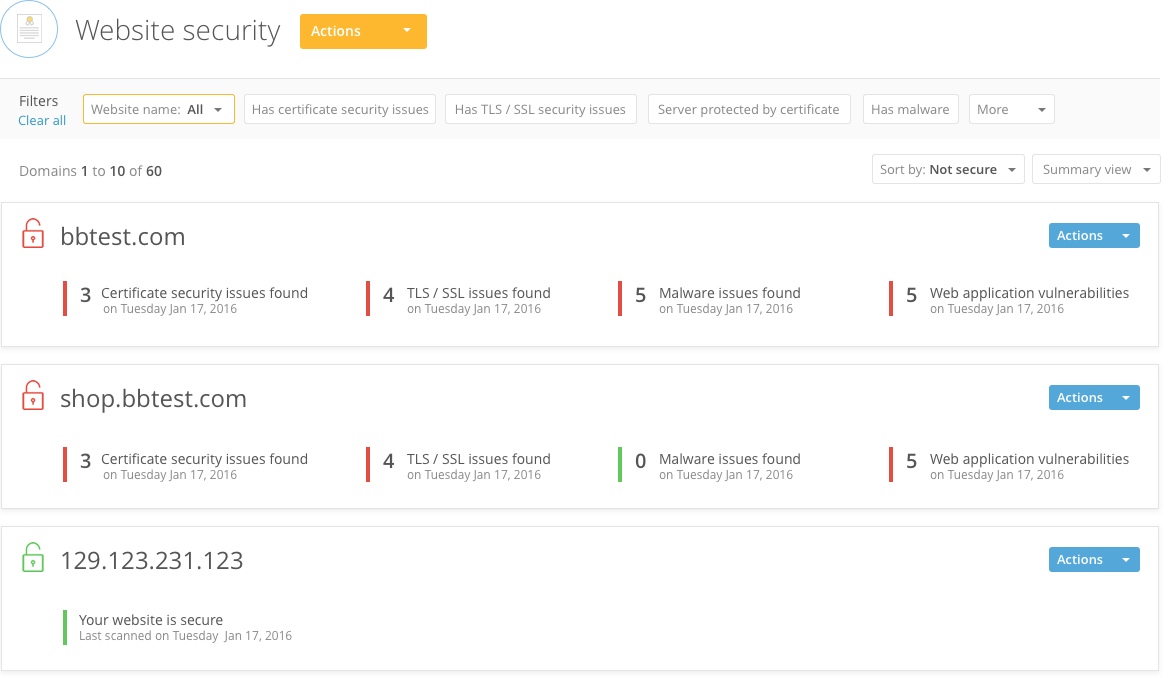
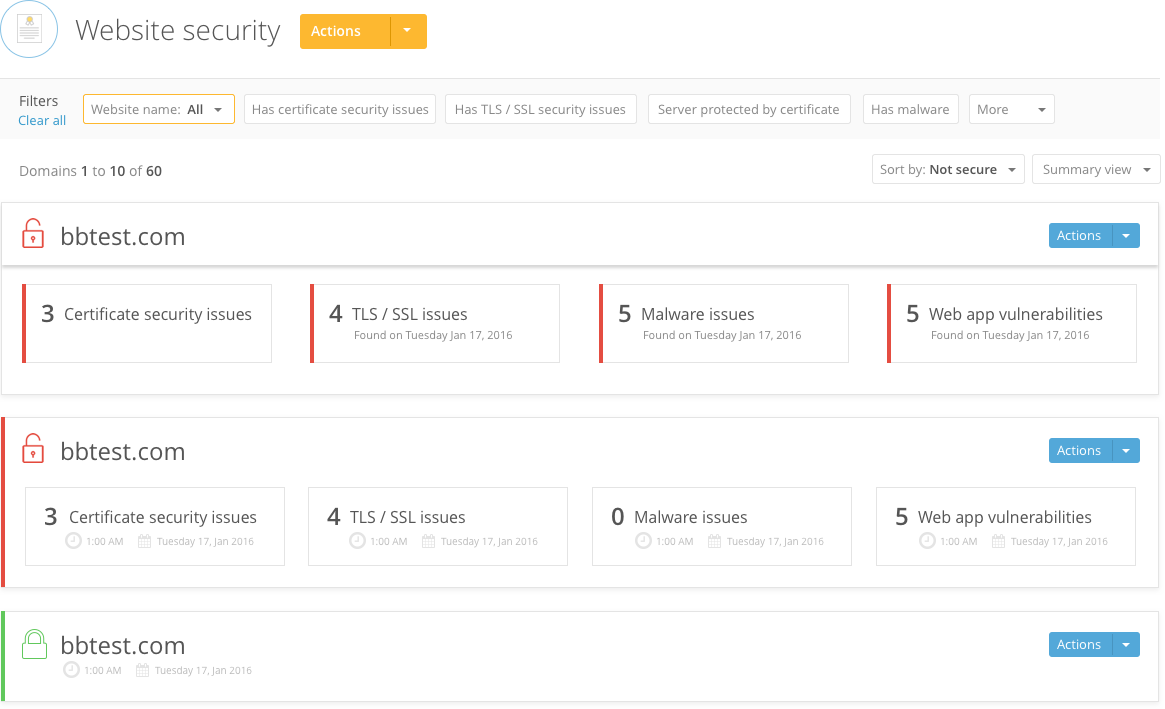
It was also around this time that I worked with the visual design team to finalize the Hi-Fi designs for this new feature. I’ve added a few options we considered:
Final recommendations
We handed everything off to the engineering team via Axshare. The final design utilized the summary view which was a part of the new style guide we defined.
You can see some of the major specs here:
Password: final-specs
- Interaction specifications – be sure to scroll to the right as well – there is a lot of information captured here!
- Color coding and status
- Visual specifications
There was even more to this project if you can believe it! Reach out to me to learn more.
When CWS went out the door it was a huge milestone, so I organized a release party (err, happy hour) and had posters printed up of WSV.